GLCs
Government-linked distributor automates invoice submission to a government e-procurement portal
CLIENT
A government-linked distributor
Cadence
Scheduled daily

Client Overview
A government-linked distributor invoicing suppliers through a government e-procurement portal. Finance staff submitted every supplier invoice by hand: search, open, check the amount, sign, one government order at a time, with the load concentrating at month-end.
How the Workflow Runs
The automation runs on a schedule into the government e-procurement portal. Every invoice is reconciled to the cent before anything is posted, and whatever does not match is held for a person.
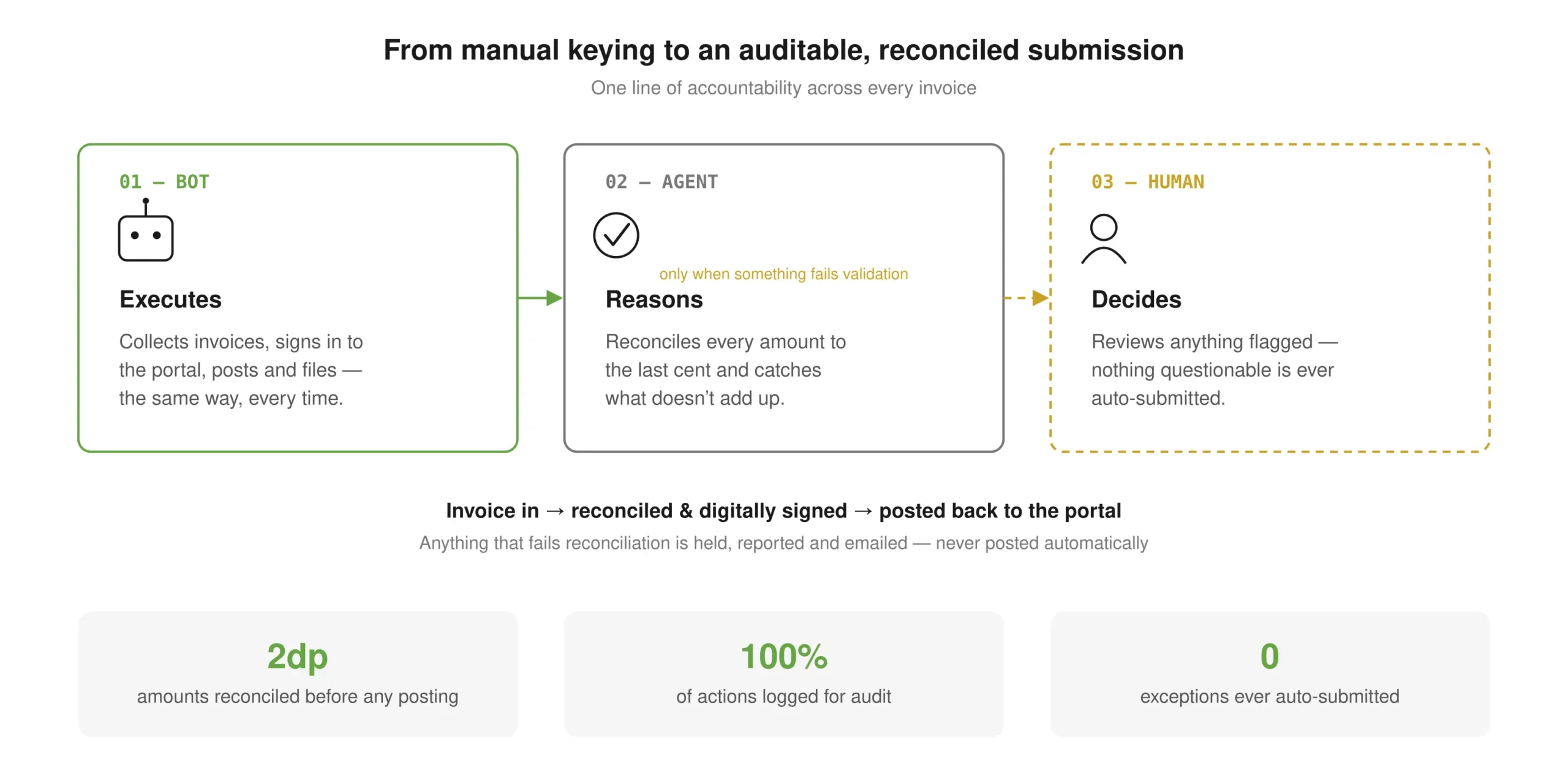
FIG. 01 · Scheduled invoice submission into the e-procurement portal
01
Collect & prepare
Bot
The bot pulls the day’s invoice files from the file exchange, with failover to a backup server, and converts each into a clean worksheet. If the portal is under maintenance it waits and re-checks rather than failing the run.
02
Reconcile every amount
Agent
The automation searches the portal by government order number and reconciles the portal value against the source figure to two decimal places. Missing or unreconciled records are held back.
03
Human checkpoint
Human
Only reconciled invoices continue. An amount mismatch, a missing record or a certificate failure is emailed to the operations team. The bot never posts an exception on its own.
04
Sign, post & prove
Bot
The bot completes the submission form, signs with the digital certificate, and posts back to the portal, capturing the confirmation reference. Every transaction is written to an archived run report.
How Cognitive Consulting helped
- Two decimal places, or it does not post. That one rule turned a judgement call at a keyboard into a gate the run either clears or stops at.
- Manual keying was the obvious target. The fragile part was everything around it: file servers that drop, a portal that goes into maintenance mid-run.
- Credentials stay out of the logs; everything else goes in. A submission can be reconstructed months later without asking anyone what they remember.
OUTCOMES
- Only reconciled invoices are signed and posted; mismatches are held for review, never auto-submitted
- Every action logged for audit, with credentials excluded from logging
- A per-transaction report is archived to SharePoint on every run
RELATED CASE STUDIES